Showing posts with label word. Show all posts

Tuesday, 14 May 2013

how to save purchase order


how to save purchase order .
First open the existing company from peach tree software then goto task menu and select the purchase order button as shown in the picture below.
After that you will receive a window of purchase order

Here in the above window you have to enter the information about purchase order
Vender ID
Date
Purchase order number PO num
Quantity
Item
Per unit price
In this account we will maintain the vender account and inventory item account as well
Fo vender ID you will make a vender account and then select the date. Then you have to enter purchase order no. quantity of item. For item you will maintain the inventory items. Then per unit price.


Vender account


Wednesday, 6 March 2013

To open new file in word


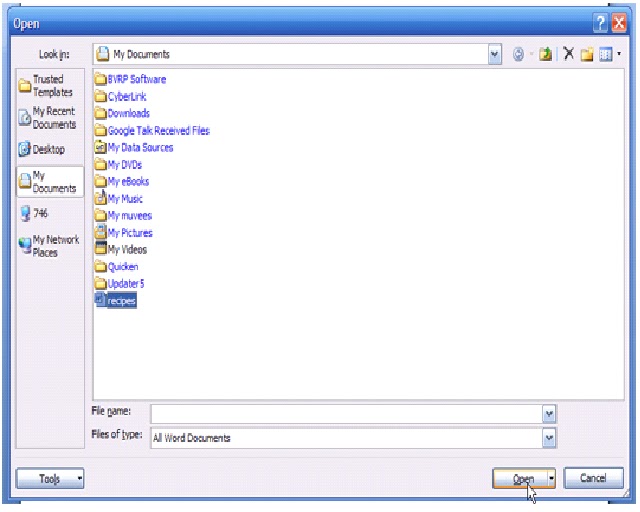
You use the standard computer command Open to fetch a document that you previously saved as a file in Word 2007. To grab a file from your disk drive in Word 2007 — to open it — you follow three simple steps.
Click the Office Button and choose the Open command from the menu.
The Open dialog box materializes.

Click a document’s name with the mouse.
The Open dialog box contains a list of documents previously saved to disk. Your job is to find the one you want to open.

Click the Open button.
Word 2007 opens the highlighted file, carefully lifting it from your disk drive and slapping it down on the screen.
After the document is open, you can edit it, print it, or do whatever you want with it.